
Google Forms add-on
Sign-up sheets that keep count.
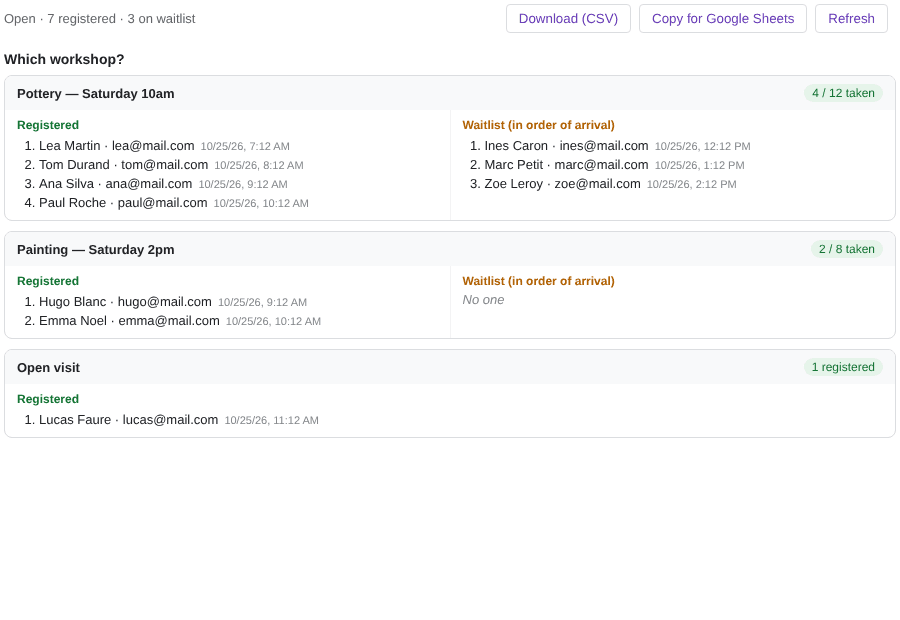
Give each option of your Google Form a number of spots — a time slot, a workshop, a seat. Respondents see how many are left, a full option is marked FULL, and late responses go to an automatic waitlist, with emails. You see registrants and waitlist side by side.
Coming soon to Google Workspace Marketplace
See pricingMade for workshops, associations, clubs, private schools and events.
How it works
- 1
Set the spots
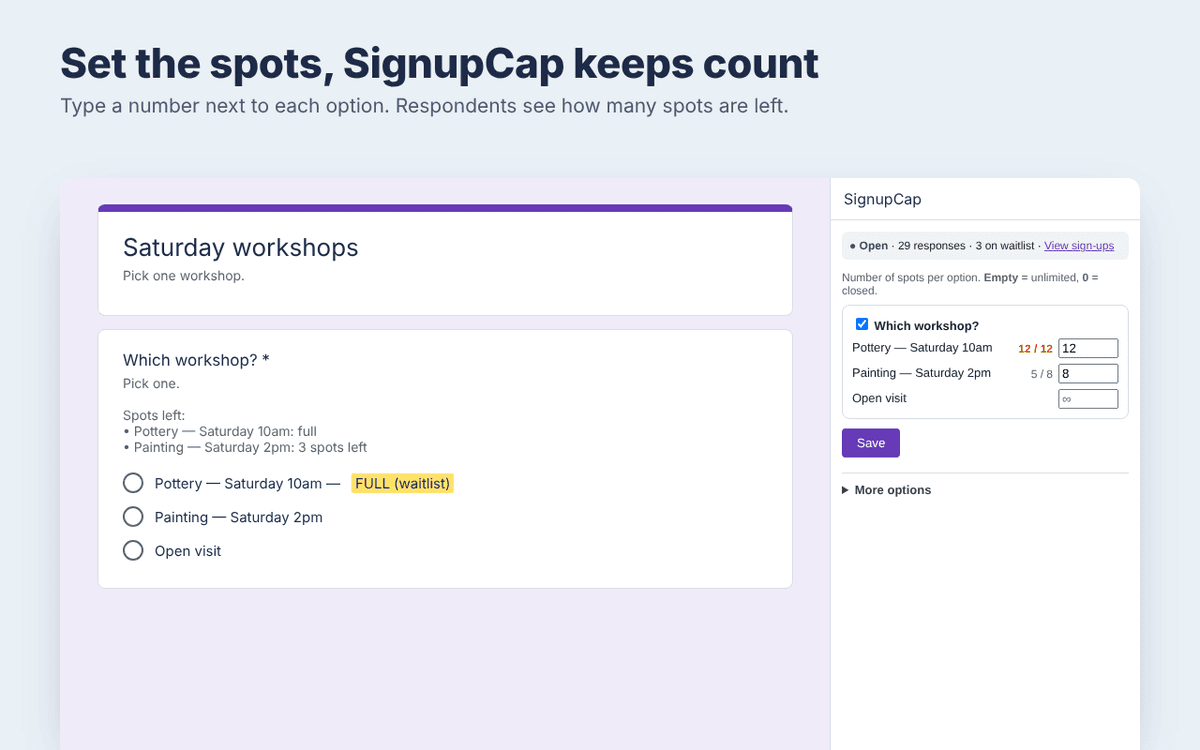
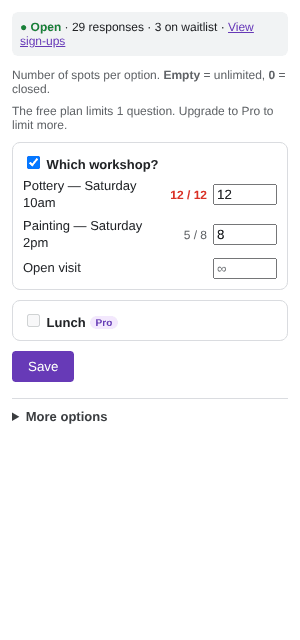
Open SignupCap from the add-on menu of your form, type a number next to each option and save. Empty means unlimited, 0 means closed.
- 2
Share your form
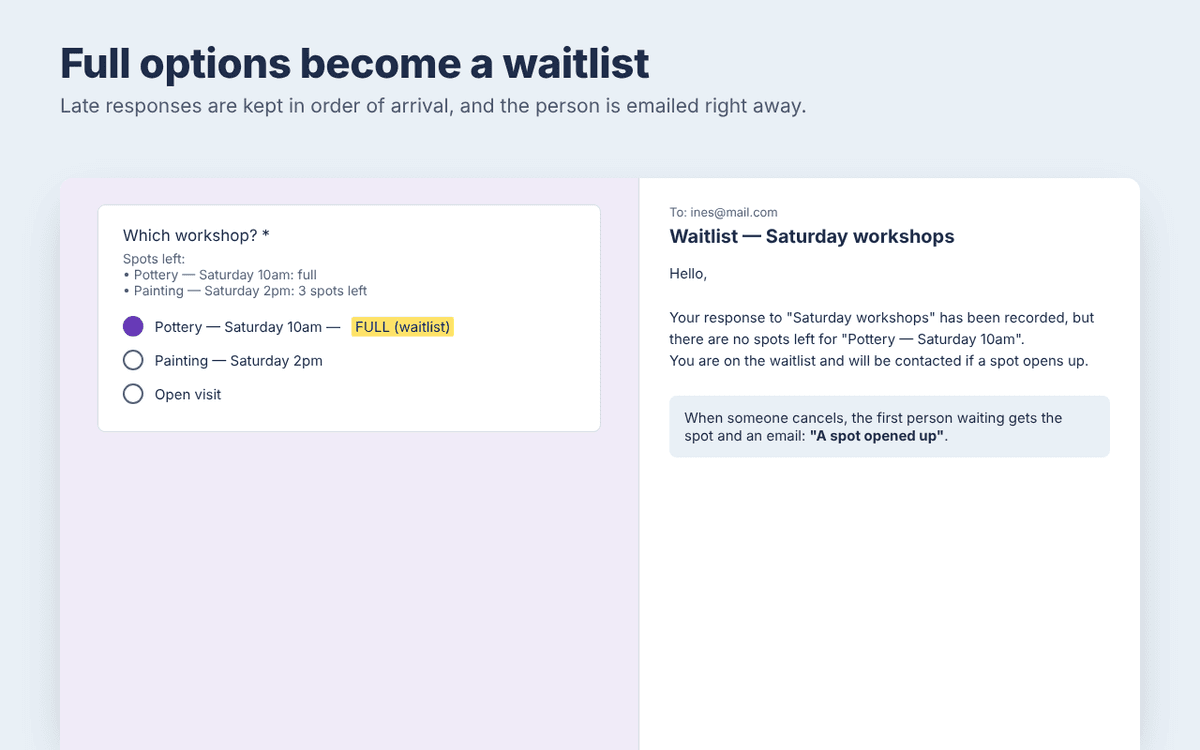
Send the usual Google Forms link. Respondents install nothing: they see the spots left under the question, and FULL (waitlist) next to an option that's taken.
- 3
SignupCap keeps count
Responses are counted in order of arrival. When an option fills up, the next people go on the waitlist and get an email. When someone cancels, the first person waiting gets the spot and an email: “A spot opened up”.
Try it here
A simulation in your browser, with three spots. Nothing is sent anywhere. Send responses until the option is full, then cancel one.
Saturday workshops
Which workshop?
Pottery — Saturday 10am: 3 spots left
0 / 3
Registered (0/3)
Waitlist (in order of arrival)
No one
What SignupCap did
- Nothing yet. Send a response.
When two people grab the last spot
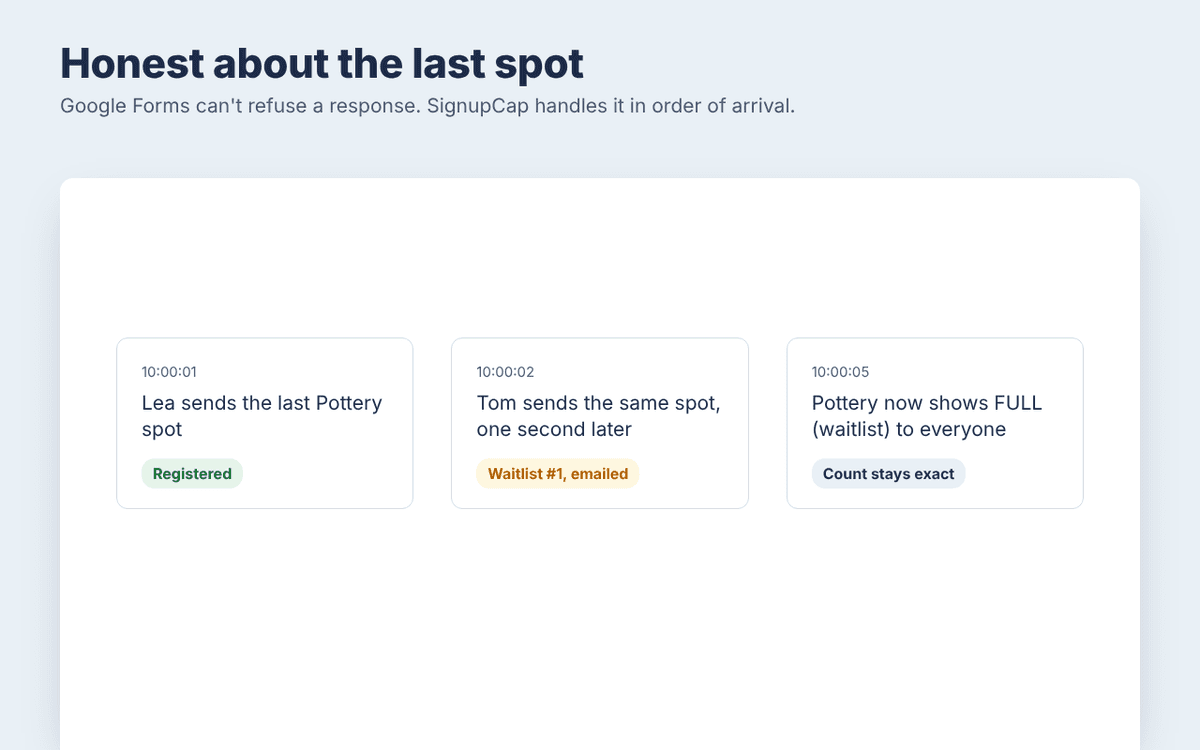
Google does not let any add-on refuse a response. Not SignupCap, not any other. If two people submit the last spot a second apart, Google Forms records both.
So SignupCap does the honest thing: the first response keeps the spot, the second goes on the waitlist as #1 and that person gets an email right away. The option then shows FULL (waitlist) to everyone, and your count stays exact.
We tell you before you install it, because your event depends on it.
Last spot
11 / 12
Waitlist
—
Two people open the form. One spot left on Pottery.
Pricing
Start free. Upgrade when you need more than one limited question.
Coming soon to Google Workspace Marketplace
Payments are handled by Lemon Squeezy, our reseller and merchant of record, which also takes care of sales tax. Changed your mind? You get a full refund within 14 days of purchase: write to contact@acquipage.com.
| Feature | Free0 €forever | Pro29 €per year |
|---|---|---|
| Questions with spot limits | 1 question | All questions |
| Spots left shown under the question | Included | Included |
| FULL (waitlist) label on full options | Included | Included |
| Automatic waitlist, in order of arrival | Included | Included |
| Waitlist and “A spot opened up” emails | Included | Included |
| Close the form when everything is full | Included | Included |
| Registrants and waitlist, side by side | Included | Included |
| Export to CSV or Google Sheets | Not included | Included |
| Confirmation email to registrants | Not included | Included |
| Email me when an option is full | Not included | Included |
| Open and close automatically on a date | Not included | Included |
| Maximum total responses | Not included | Included |
Questions
Can SignupCap stop people from choosing a full option?
It can't block the response — Google Forms doesn't allow any add-on to do that. What it does: as soon as an option is full, it shows FULL (waitlist) next to it, so most people choose another one. Anyone who still picks it goes on the waitlist, in order of arrival, and gets an email right away.
Do my respondents need to install anything?
No. They open your usual Google Forms link. Only you, the form owner, install SignupCap.
What happens when someone cancels?
The first person on the waitlist gets the spot and receives an email: “A spot opened up”. The counters and the registrants view update on their own.
Where is my data?
In your Google account, with your form. SignupCap does not copy your responses to an outside server. The privacy policy lists exactly what is used and why.